
Back To All Posts
Instagram for Business: The Ultimate Guide

Find out how to use Instagram for business and effectively market your brand and products on this new mobile based social media. Instagram initially started as a fresh photo-editor app that helped users create colour rich photos with their many filters. However it has now become an image rich social network with over 100 million active users. It is a mobile phone based application and has become a very popular social network with 16 – 25 year olds.

Many teenagers have ditched Facebook for Instagram due to the watchful eye of their parents (their parents are not here….yet). It became such a relevant player that Facebook bought it for an estimated billion dollars. The site allows you to add comments to your photos and even hashtags to ensure your images are more likely to be seen.
The numbers – Instagram in statistics:
- 100 million Monthly Active Users
- 40 million Photos Per Day
- 8,500 Likes Per Second
- 1,000 Comments Per Second
Instagram for Business: The Ultimate Guide
Getting started
Instagram is very much a mobile platform so you must download the iPhone or Android app to your smartphone in order to set up an Instagram account.
Accounts
Instagram accounts are public by default, but you can create a private account. If you set up a private account only followers you approve will be able to see your photos. In that case, only users who you approve may follow you and view your photos. However, if you want to use Instagram for marketing or business purposes setting your account up as private may be counterproductive - the more users that see your content, the better for you.
Picture and bio
Once you set up your account you can add a picture profile, a 150 character bio and a link to your website. You can edit your profile on your pc here – https://instagram.com/accounts/edit/#.
Followers
Just like Twitter, people become followers on Instagram so one of your first goals will be to generate followers:
- Encourage clients and customers to follow you on Instagram.
- Like any other social network one of the easiest ways to generate followers is by finding and following them first. So search for your target market using the Explore tab (right of the home tab) on your app and start following people.
- Another action you can take is like and/or comment on the photos of the users you want to engage with.
- Other options include adding an Instagram Badge to your website – http://instagram.com/accounts/badges/# and adding an Instagram tab to your company Facebook Page – http://www.woobox.com/instagram
Linking Instagram to other Social Networks
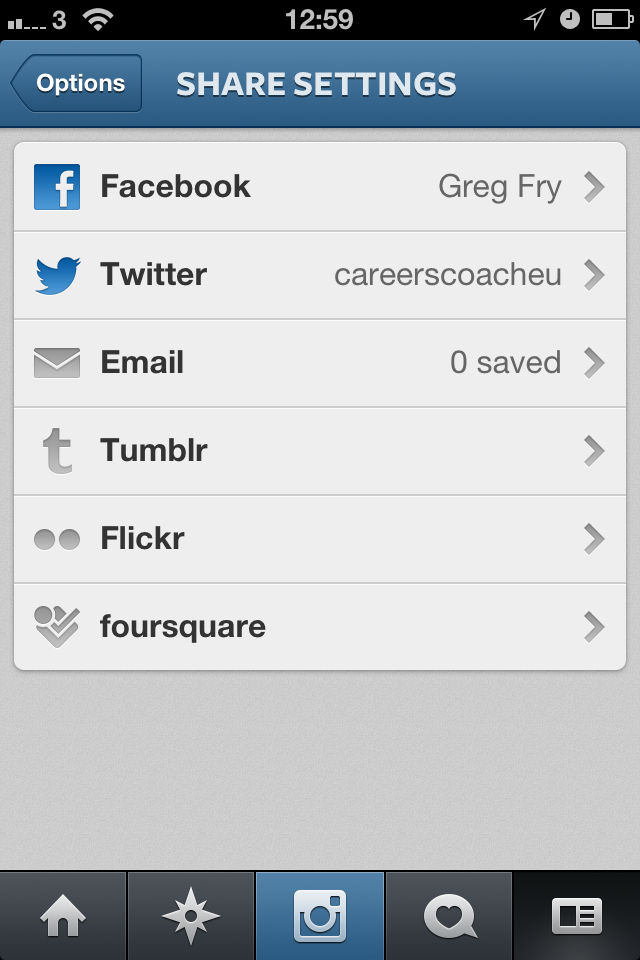 In order to maximise your Instagram pictures reach it is important to connect your Instagram account to your other social media accounts.
You can link Instagram to:
- Flickr
- Tumblr
- And Foursquare
To connect social accounts: click on the Profile Tab > Sharing Settings, and select the social network you wish to connect with.
- Once you have done this, every time you upload a photo to Instagram you will be given the option to share your photo on any of your linked social networks.
- For example if I have 200 followers on Instagram and over 12,000 fans on Facebook, I will want to ensure that my Instagram photos also reach my Facebook fans.
Adding photos
Once your account is set up it is time to share photos and to engage with your followers. Here’s how you take a photo.
- Open the application on your smartphone.
- Click the blue camera button at the bottom of your Instagram navigation panel. Instagram will automatically activate your phone’s camera.
- You have the option of taking a photo or choosing an existing picture on your phone.
If you choose to use an existing photo, click on the square button right of the photo tab. NB. If you choose a photo from your camera roll, keep in mind that Instagram sizes photos to perfect squares. So, if you select an existing photo you will have to crop your image.
Editing photos
Once you have selected or taken a photo Instagram gives you the option of adding borders and applying rich filters that will give your image a professional vibrant look.
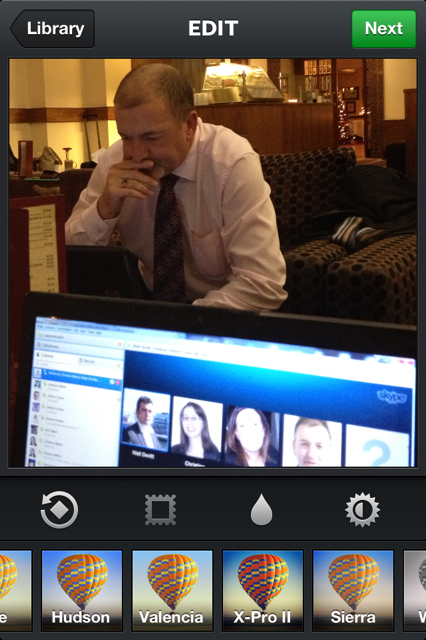 Here is a quick guide to Instragram’s filters and when to use which one.
- Amaro: Adds more light to your image, but focuses it mostly towards the centre. The darker the photo, the more you will notice this effect. Use When: You want to give your photo a somewhat aged appearance.
- Rise: Gives images a nice glow and provides softer lighting on the subject. Use When: You’re taking close-up shots of people.
- Hudson: Gives your images an icy look. The slight tint and altered lighting gives these images a colder feel. Use When: You’re outdoors. It’s particularly effective when you’re taking photos of buildings or monuments.
- X-Pro II: Makes the colours in your image more vibrant giving a warm appearance. Use When: There are strong colours in your image, can be used both indoors and outdoors depending on the subject
- Sierra: Makes images appear softer, but unlike Rise, Sierra gives a faded look. Use When: You want your nature and outdoor shots to appear calm and soothing.
- Lo-Fi: Adds rich colours and strong shadows to the image. Use When: Great to showcase food.
- Earlybird: Mostly faded and blurred colours, making an image appear older than it is. Use When: If you want your image to look ‘cool’
- Sutro: Gives images a smoked look, with particular emphasis on purple and brown colours to achieve this effect. Use When: You want to give images a creepier feel.
- Toaster: Gives the centre of your image a burnt look, making the image look aged. Use When: You’re taking photos of a summer event, so nights out, BBQs, picnics, etc.
- Brannan: Provides a greyish tint that gives images a darker, more metallic appearance. Use When: Your image has strong shadows.
- Inkwell: Turns your image black and white. Use When: Light and shadow are prominent in your image.
- Hefe: Similar to Lo-Fi, but the colours aren’t as dramatic. Use When: Anywhere you want to enhance vibrant colours, but not to the same extent as Lo-Fi.
- Valencia: Gives your image a faded quality, as if it was taken in the 1980s. Use When: You want to give an image an antique feel.
- Nashville: Gives your images a nice, warm feel. Also, includes a slightly pink tint to help achieve this effect. Use When: You want to give your photos a nostalgic feel.
- 1977: As the title suggests, gives your image a brighter, faded look. Use When: You want your image to look like it was taken in the 1970s.
- Kelvin: Gives images a bright, vibrant feel and provides it with a radiant glow overall. Use When: You want to give a photo a nice, warm feeling.
[Source: Simply Zesty]
Note: The above is just a guide. It is up to you to decide what filter best suits your image. Personally my favourite filter is Lo-Fi as it adds real rich colours to my images.
Adding text to your photo
Once you have the right photo and applied the appropriate filter you are nearly ready to unleash your image to the world. However, before you do this it is important to add some text to complement your image.
This can be a great way to explain your image and even to add a call to action. Eg. “Is this the best Hotel in the world?” Or ““Like” this if you agree”.
Hashtags
Hashtags are highly effective ways of reaching a larger audience on Instagram:
- Add one or possibly two hashtags to your image.
- Take time researching what relevant hashtags are popular on Instagram.
For example: If I was the marketing manager of Leinster Rugby Club I would see that fans were using #Leinster and #Leinsterruby when mentioning the team. I would therefore want to ensure that we used those hashtags too. That way I would reach fans that may not be following the Instagram account.
To search for hashtags on Instagram click on the explore tab to search for popular hashtags. More details on hashtags can be found on the Instagram blog here.
How can a Business use Instagram?
So how can Instagram help a business? There are many great ways you can increase followers, generate engagement and even increase sales via Instagram. Pictures tend to make people feel more connected to a brand than just text.
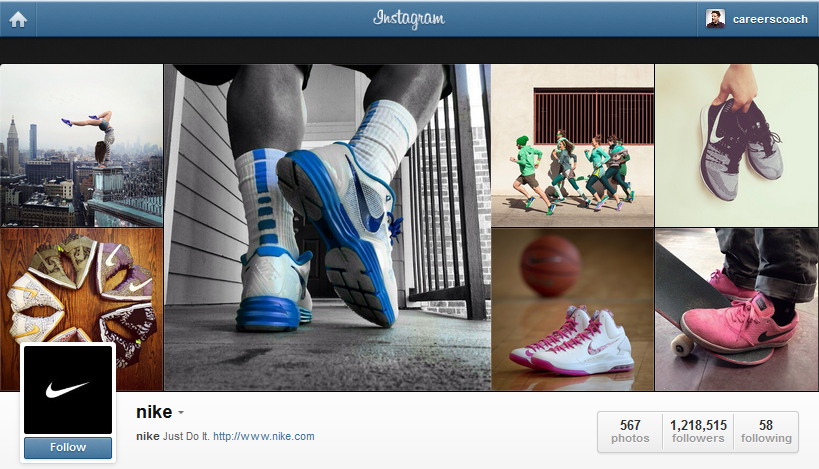
Here are a few ideas:
Showcase your products
Many clothes companies show their latest fashion items on Instagram before they even hit the shops. The sneak peak picture of something that has yet to be released offers real value to followers and very often creates a viral effect.
Show your followers how your product or service is made
This can be insightful and make the user feel they are more connected to your brand. It is also a great way to demonstrate your skills and expertise. GE used Instagram initially to showcase all the past products that they have made and found that users were hugely engaged about how their products were produced.
Show users your office
What is it like to work there? Introduce them to your staff. Visual images of your office can be used to attract talent to your organisation as well as making you seem a friendly, human and even hip organisation.
Show cute pictures, but not too much.
It is still a mystery to me why a cute picture of a cat will generate so much attention, but it will. So a picture of the office cat or dog every now and again will do you no harm.
Run competitions
Instagram is set up perfectly to run competitions. Use a hashtag and ask users to upload photos using that hashtag. Use other social media networks to promote your Instagram competitions. Sony have had great success running competitions on Instagram. They ran a competition using the hashtag – #Sonylove.
- Sony asked people to first follow them on Instagram and then post pictures of anything that represents “love.”
- The pictures could be anything that represents love to you, like a person, product, place or anything. One person at random was chosen every day to win a $50 Sony Store gift card.
- Other winners would get some of the new Sony merchandise based on appropriateness to theme, originality, creativity and technique.
- Their competitions have managed to generate over 18,000 new followers.
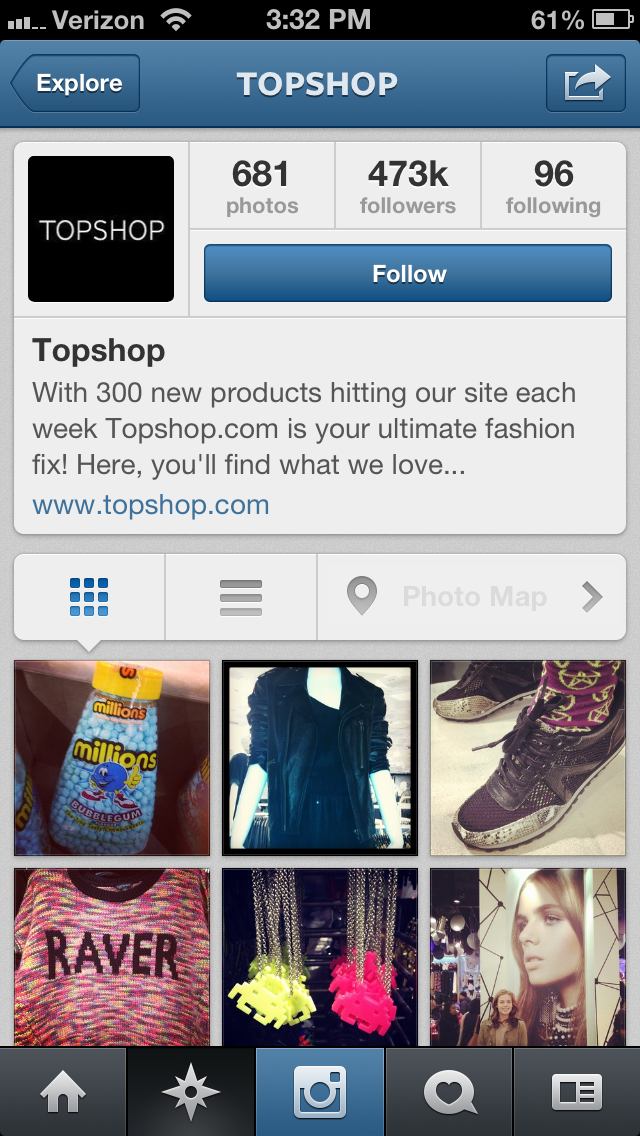 Reward your followers for looking at your pictures and reading the descriptions
TopShop, who have over 473,000 followers, frequently post pictures of their clothes and accessories and even shoppers.
- They have kept their audience highly engaged by including promotional codes in some of their posts.
- This has kept their follower numbers high. Also, their comments and likes on each picture are in the hundreds and sometimes even the thousands.
Post pictures of your happy customers
Imagine you have a restaurant. You may say your restaurant is great, but you are biased. However if I see customers enjoying their meal at your restaurant I am more likely to be convinced. Virgin Airlines are a great example of a company that likes to show their brand experience through Instagram.
- They frequently post pictures of surprises they give to their customers, where their customers are going, snapshots of their customers with celebrities including the CEO of the Virgin Group Richard Branson and shout-outs to sponsors that make their brand experience even more memorable.
- Fans who follow Virgin America on Instagram associate them with a brand experience unlike any other airline.
- By engaging with their fans and showing happy customers who could really be anyone, the company is able to achieve goals by utilizing Instagram.
Use Hashtags to promote your events
Create a buzz before, during and after your event by encouraging attendees to follow and add photos using your hashtag. The great thing about hashtags on Instagram is that I can add great live images and as much text as I want.
Other Applications for Instagram
Finally there are many applications that will help your Instagram experience. Here are a few I use:
- InstaPad: If you have an iPad InstaPad is the perfect application to browse your Instagram feed.
- Statigram: Statigram is the most established Instagram account management application on the web. It is great to use on a PC or laptop. It allows you to look and analyse follower and image statistics. It is a handy tool to see how you are performing.
- Klout: Great news for Klout users. Make sure you add Instagram to your Klout account. It now helps increase your Klout score
- Hootsuite: You can now add Instagram to your Hootsuite account via the Applications Directory. It allows Hootsuite users to share Instagram photos to your social networks, view your photos plus view and post comments and likes. It even allows you to search for keywords and click on hashtags to view related photos.
Limited functionality on a Desktop or PC
Despite recent improvements, Instagram has limited functionality on a desktop or PC. You can now edit your profile, like and comment on other peoples posts via your computer and users will soon be able to search Instagram on their PCs.
However, to date you cannot add a photo directly to Instagram via your PC. This is a major obstacle for Marketing Managers, however I expect Instagram to allow uploads from your PC in the near future. Dropbox: In the meantime I currently use Dropbox to move images from my PC to my smartphone where I can edit and upload on Instagram.
Understanding the Digital Economy
Reports:
- International Student Recruitment
- General and Health Insurance
- FMCG Sector – Retail and Ecommerce
- Attracting Top Tier Talent
- Social Media in Politics
Guides:
- Social Media Strategy
- Blogging
- SEO
- YouTube
- Google Analytics
- Adwords
- Google+
- Klout
- SMS Marketing
- Mobile Commerce
Contact us
If you would like to talk further about how Instagram can benefit your business, or if you would like The Ahain Group to help you along this path please feel free to contact us.
Connect: 


Greg Fry
Greg is one of Ireland's finest digial and social media trainers, and has regular lecturing slots at the Digital Marketing Institute and Dublin's Smurfit Business School. Greg is revered as the top LinkedIn expert in the country. His passion and expertise for social allows him to create high-end strategic campaigns in-line with business objectives Greg believes that in order to make social media work for your business you must have a clear business goal, a clearly defined strategy and make sure that everything you do is measureable..


